Support Center
FAQ
Support Center
The device system time is inaccurate
If the App pops up a "system time is inaccurate" prompt, it means that your device's time is inconsistent with the actual time, which may result in the inability to connect to the server. Please calibrate the time as follows and then reconnect.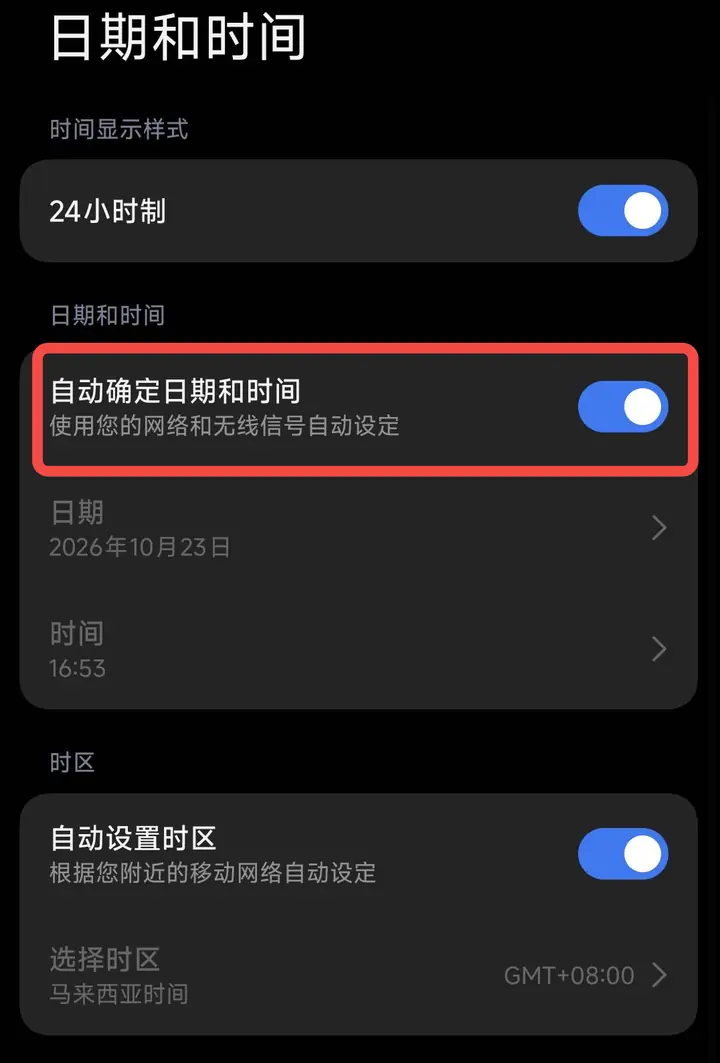 Method 1: Turn on automatic synchronization (recommended)
Why does this prompt appear?
VPN connections require accurate device time. If the device time skew is too large, the connection may fail.Solution
Android AndroidMethod 1: Turn on automatic synchronization (recommended)- Open your phone's "Settings"
- Enter "Date and Time"
- Turn on "Automatically determine date and time" (set automatically using network and wireless signals)
- It is also recommended to turn on "Automatically set time zone"
- Go to "Settings" → "Date and Time"
- Turn off "Automatically determine date and time"
- Manually set the correct date and time and select the correct time zone
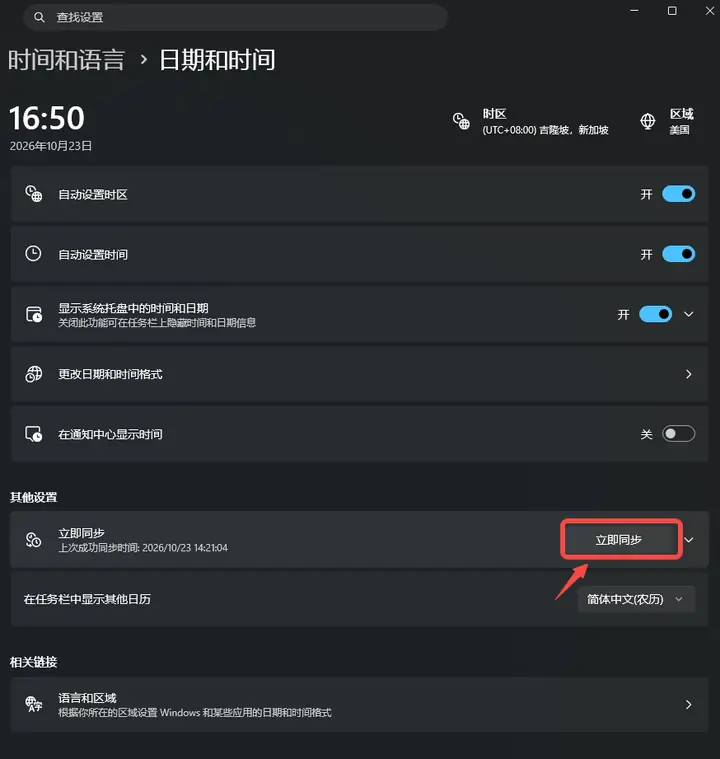
- Open "Settings" → "Time and Language" → "Date and Time"
- Make sure "Automatically set time" and "Automatically set time zone" are turned on
- Click "Sync Now" in "Other Settings"
- After synchronization is completed, return to the App and reconnect
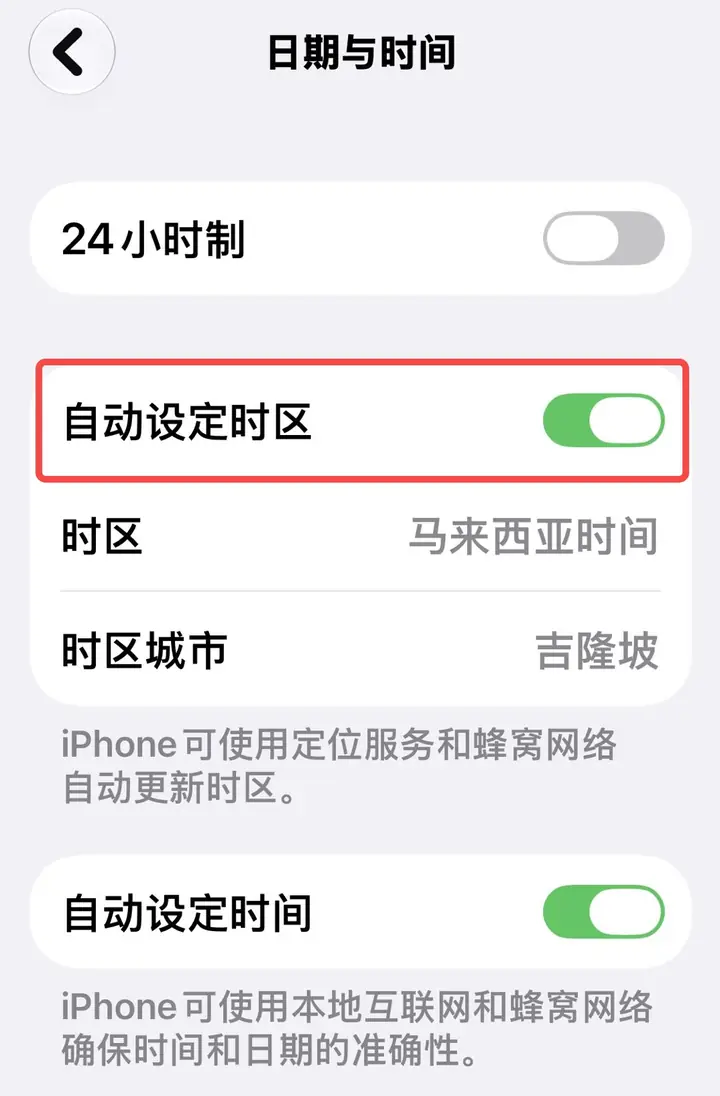
- Open "Settings" → "General" → "Date & Time"
- Turn on "Automatically set time zone"
- If it is already open but the time is still wrong, please close and reopen it.
- Confirm that the device is connected to the Internet, and then return to the App to reconnect after the time is updated.
- After calibrating the time, please reopen the app and reconnect the server.
- If the time is correct but you still can't connect, you can try switching to another server.
- If the problem is still not resolved, please submit a work order to contact customer service in "My" → "Service Center".