X (Twitter) VPN
News moves fast on X, but images and videos can take ages to load. HZVPN gives you another route and encrypts your browsing on public networks. One thing to be clear about first: using a VPN doesn't make you anonymous on X.
Download HZVPN
What a VPN does while you use X
Your X timeline is a stream of images, short videos and live updates. A shaky link anywhere shows up as blank images, spinning videos or posts that won't refresh.
With HZVPN, X traffic goes through an encrypted tunnel to your chosen server location and then on to X. That changes the path and keeps the local network from looking in.


Images and videos slow? Try another road
Images and videos on your timeline come from X's content delivery network, which doesn't always share a path with text posts. When your route to those servers is poor, a nearby HZVPN location can sometimes help them load.
An extra layer on work and school networks
Admins of institutional networks can usually see which websites you visit. With HZVPN on, they only see a connection to a VPN server, not what you browse on X. Follow your organisation's network rules first.
Away from home, closer to normal
X adjusts Trends and other content by region. Connecting to a location near where you usually live makes the experience closer to home, but X also looks at your account settings, not just your IP.
Keep your ISP out of your timeline
Your ISP can see when and how often you connect to X. With HZVPN, it only sees encrypted VPN traffic. Note: X still knows what your account does.
VPNs and X: three things to be clear about
On a social platform, your account says far more about you than your IP address.
A VPN is not anonymity
Once you're signed in, your posts, likes and DMs are tied to your account. A VPN hides your real IP, not your account identity. If you need to protect your identity, also think about the phone number and email linked to the account and what you post.
Frequent IP changes can trigger checks
When X sees your login IP jump to another region, it may ask for a code or email confirmation. Sticking to one or two server locations reduces these prompts.
Suspensions aren't fixed by a new IP
An account is suspended or limited because X decided it broke the rules. A new IP doesn't change that decision, and evading a suspension can make it worse. Use X's official appeal process.
Where you use X
Different devices come with different things to watch out for.

Mobile app
The most common way. HZVPN runs on Android 9+ and iOS 13+, and once connected the X app's traffic is encrypted too.

On the web
On your own computer, connect HZVPN before opening X in the browser. On a shared or public computer, don't stay signed in.

On a desktop
With the Windows or macOS app connected, your browser and desktop apps go through the encrypted tunnel — useful on shared office networks.

Multiple accounts
If you manage several accounts, follow X's rules on multiple accounts. A VPN doesn't change how X decides whether accounts are linked, and it shouldn't be used to get around platform restrictions.
Get started in 3 steps

Sign up and download
Create an HZVPN account on our website, then download the app for Android, iOS, Windows, macOS or Linux.

Pick a server location
Choose one of 43 server locations in the app and tap connect. If it doesn't feel right, switch to another any time.

Open the app you want to use
Open X and refresh your timeline to check images and videos load. If they don't, switch to another server location.
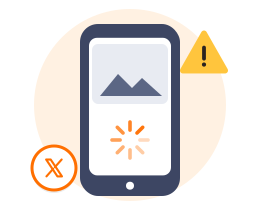
Images and videos on X won't load?
Text posts appear instantly while images stay grey and videos keep spinning — a common pattern. Usually text and media come from different servers, and your route to the media servers is the weak one.
To check: refresh a few times without the VPN, then connect to a nearby HZVPN location — in Southeast Asia try Singapore (24 servers) or Malaysia (4); in East Asia try Japan (41).
If images appear once you're connected, the original route was the problem. If they still don't, it may be X's own service or your app version — clear the cache or update the app and try again.
On mobile data, X has a data-saving option in its settings that lowers image and video quality, which also makes loading lighter.
HZVPN features that matter for X
We only list features HZVPN actually has today. If a feature isn't listed here, please don't assume it exists.
Switch locations any time, no limit
If a location loads slowly, choose another in the app and it reconnects — no limit on switches. Once you find a good one, stick with it to avoid login checks.

43 server locations, 265 servers
43 server locations, 265 servers. Choose one close to where you actually are.

One account, several devices
Your phone, tablet and computer can all sign in with the same HZVPN account. Devices online at the same time: 3 on VIP, 5 on SVIP (the app shows the current limit).

Free servers once you sign up
Free servers come with sign-up; right now they are in United States, Japan, Hong Kong, Singapore, Germany, Canada, France, Thailand and United Kingdom.
Where the free servers are today
 United States
 Japan
 Hong Kong
 Singapore
 Germany
 Canada
 France
 Thailand
 United Kingdom

Frequently asked questions
Does a VPN make me anonymous on X?
No. A VPN hides your IP, but everything you do while signed in is tied to your X account.
Why does X ask me to verify after I turn on a VPN?
When X sees your login IP suddenly move to another region, it may ask you to verify. After verifying, try to stick with the same server location.
My X account was suspended. Will a new IP help?
No, and we don't recommend trying. Suspensions are based on account activity; use X's official appeal process.
Videos on X keep buffering. What can I do?
Try with and without the VPN, then try a couple of server locations near you. If nothing helps, clear the app cache or update the app.
Will X's Trends change when I use a VPN?
They may. X uses your location and account settings to show Trends; go by what X actually displays.
Should I use a VPN for X on a work network?
If you'd rather the network admin didn't see which sites you visit, you can. Follow your company's network-use policy first.
Ready when you are
Sign up for an HZVPN account to use the free servers. Upgrade later if you need more server locations or more devices online at once.
Server numbers come from our server list (43 locations, 265 servers). They change with maintenance; the app always shows the current list.