Support Center
FAQ
Support Center
How to invite friends for points and where to start
Method 1: Share within the App
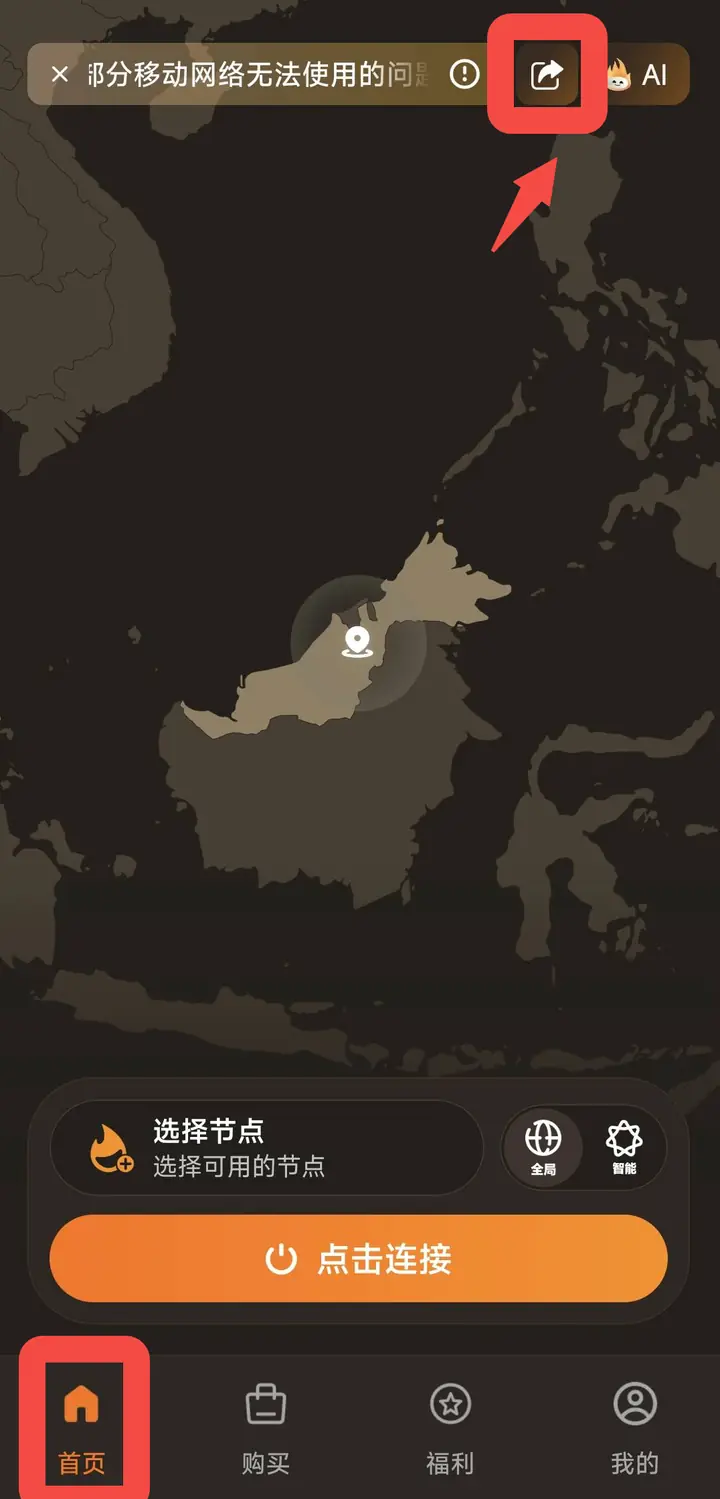
Step one: Go to the homepageOpen the App and click "Home" on the bottom navigation bar.
Step 2: Click on the sharing portal
Find the share icon at the top of the homepage and click to enter the "Share" page.
Step 3: Copy the invitation code or share it
On the "Share" page, you can see the exclusiveInvitation code, as well as a scannable QR code. The following sharing methods are provided at the bottom of the page:
- Copy invitation code and link: Copy invitation codes and links with one click for easy pasting and sharing with friends
- Share poster: Directly share invitation posters with QR codes
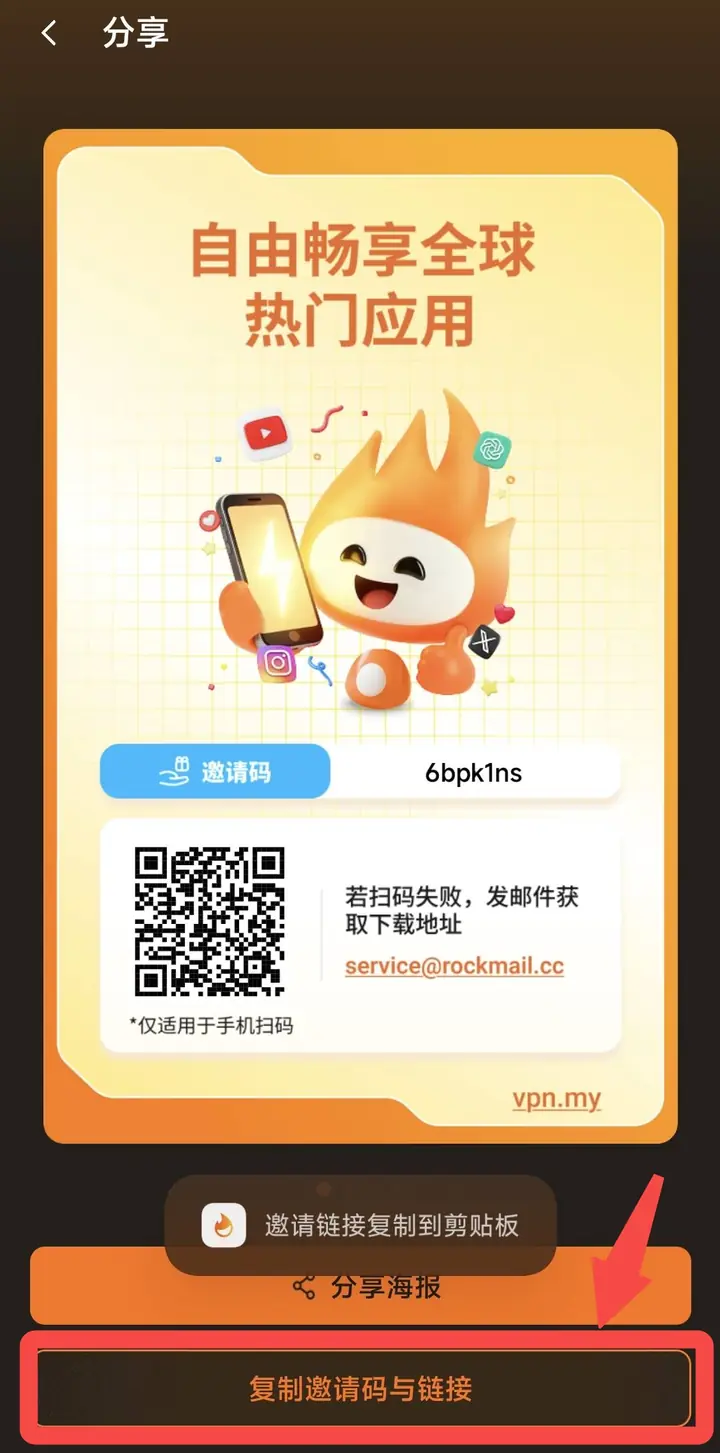 Share the invitation code/link with your friends. After the friend registers through the link and completes the verification, both parties will be rewarded with points.
Method 2: Log in to the official website to share (iOS users/cannot find the entrance in the App)
If you are using an iOS device or cannot find the invitation/sharing entry in the App, you canOfficial websiteTo do: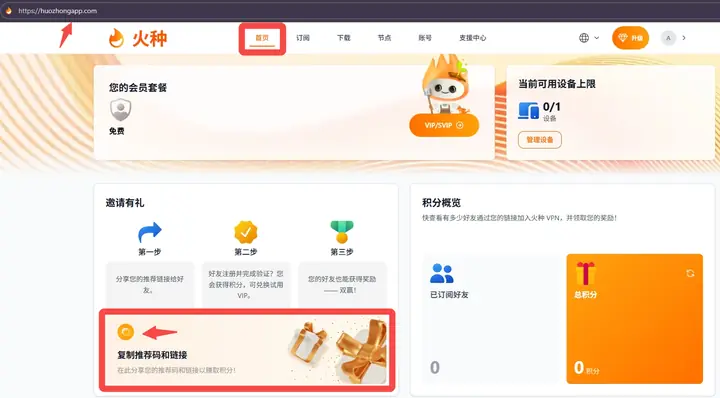 first step: Visit the official websitehttps://huozhongapp.com/, and log in to your account.
Step two:After logging in, find the "Invitation with Gifts" section on the homepage and click "Copy referral code and link” button to copy your exclusive referral code and link.
Step 3: Share the copied recommendation code/link with your friends through any method (WeChat, SMS, email, etc.). After the friend registers through this link and completes the verification, both parties will be rewarded with points, which can be used to redeem VIP and other rewards.