Support Center
FAQ
Support Center
When does "stable mode" need to be turned on?
Entrance location
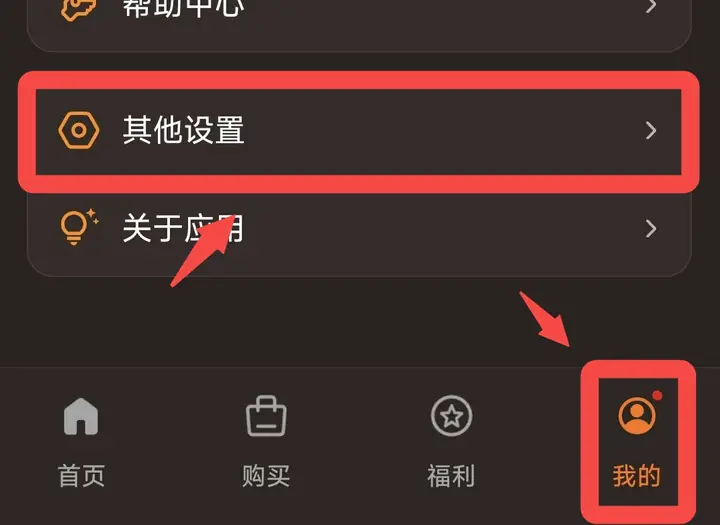
Click "My" on the bottom navigation bar → "Other Settings" → find the "Stability Mode" switch under the "Stability Improvement Settings" section.
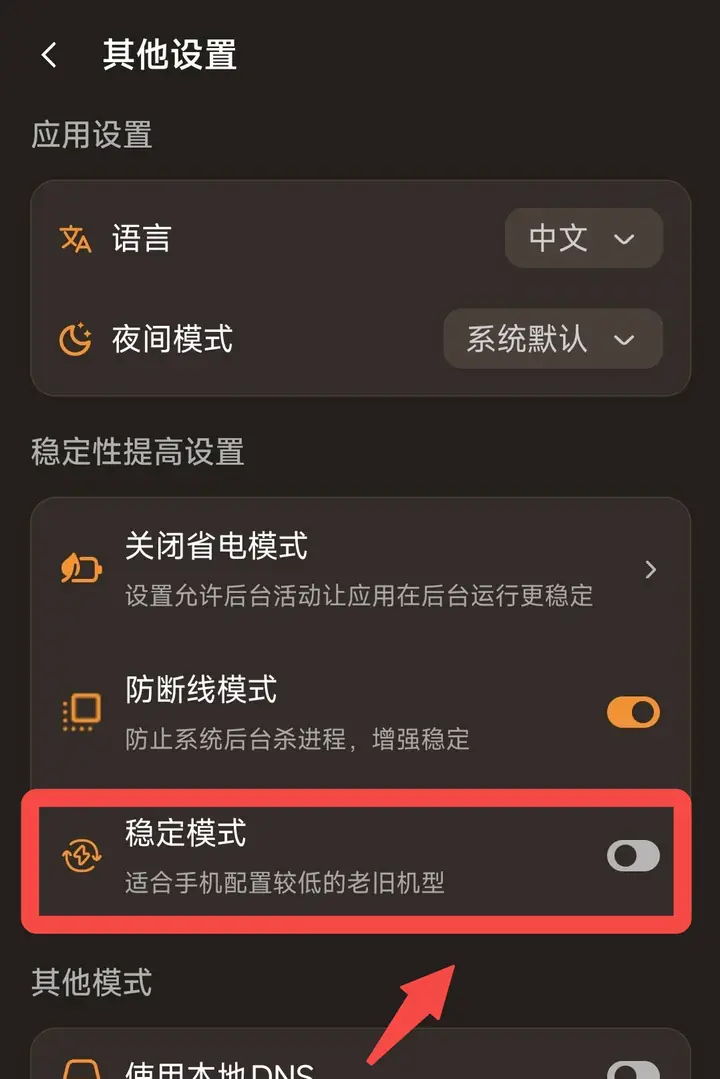 After turning on "stable mode", the App willEliminate animation effects in the interface and change to static display, thereby reducing memory usage, reducing device operating burden, and improving the running stability of the App on low-configuration devices.