Music Streaming VPN
Commuting, waiting at the gate, writing in a café with headphones on — that's often on someone else's Wi-Fi. HZVPN encrypts your music traffic and lets you connect to a familiar server location while you're away. Which songs play is still up to the music service.
Download HZVPN
What a VPN can do while you listen
Music streams don't need much bandwidth, but they do need a steady connection: loading the start of each track, pre-fetching the next one, downloading playlists for offline use. A hiccup anywhere along the way means a stall.
A VPN does two jobs here: it encrypts your traffic on networks you don't trust, and it gives you an alternative path when the usual route is poor.


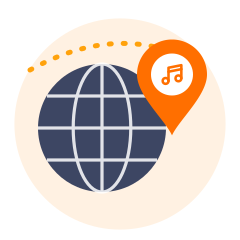
Take a different road to the music servers
When your network's route to the music service is poor, connecting to a nearer HZVPN server location can sometimes help tracks load more smoothly. If it doesn't, try another location or disconnect.
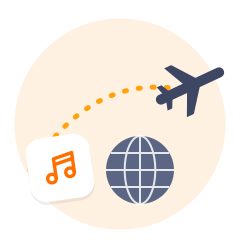
Connect to a familiar location on the road
When you're away, the music app sees the local network and IP. Connecting to a location near where you usually live makes the network look more like home. Music services also look at your account country and payment details, not just your IP.
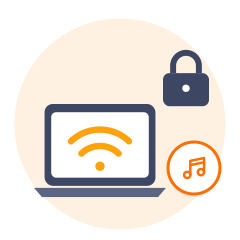
Use café and airport Wi-Fi with less worry
Whoever runs a public Wi-Fi network, and others on it, may see which services you connect to. With HZVPN on, that traffic is encrypted and they only see a connection to a VPN server.
Phone, laptop and tablet together
One HZVPN account works on several devices: your phone on the commute, your laptop at work, a tablet at night. Devices online at once: 3 on VIP, 5 on SVIP.
Music and VPNs: what to know
Music services have more rules than most people expect — about licensing regions, subscription pricing and data use.
Catalogues are licensed by region
A song can be available in one country and missing in another; that's decided by licences between labels and the service. Greyed-out tracks or a "not available in your region" message are usually licensing, not networking. A VPN isn't the fix, and we don't promise it will make such tracks playable.
Cross-region subscriptions are risky
Some people try to subscribe at another region's lower price. Most music services expect your payment method to match your account country and may cancel the subscription or restrict the account if it doesn't. Follow the service's terms rather than risk your account over price.
A VPN uses a little more data
The encrypted tunnel adds extra packet headers, so an hour of music on mobile data uses slightly more with the VPN on. On mobile data, lower the streaming quality in the app or download playlists over Wi-Fi beforehand.
Different ways to listen
How much a VPN matters depends on the device and how you listen.

Phone app
The most common setup. HZVPN runs on Android 9+ and iOS 13+. When you leave Wi-Fi for mobile data, the VPN connection has to be re-established, so there may be a second or two of silence.

Desktop app and web player
With the Windows or macOS app connected, both the desktop music app and your browser go through the encrypted tunnel — handy on shared office or library networks.

Smart speakers
Smart speakers generally can't install VPN apps, and HZVPN has no router app, so speaker traffic won't go through HZVPN.

Offline downloads
Downloading playlists moves a lot of data. On a trusted home network you can leave the VPN off; on a public network, keep it on.
Get started in 3 steps

Sign up and download
Create an HZVPN account on our website, then download the app for Android, iOS, Windows, macOS or Linux.

Pick a server location
Choose one of 43 server locations in the app and tap connect. If it doesn't feel right, switch to another any time.

Open the app you want to use
Open your music app and play a track to check it loads normally. If it's slower than usual, switch to a server location closer to you.
Greyed-out songs and buffering are different problems
People tend to blame every "song won't play" moment on the network. It helps to separate two cases.
Case one: the track is greyed out in the list, or you're told it isn't available in your region. That's licensing, decided by the service based on your account region and other signals. Changing IP isn't a reliable fix and may break the service's terms.
Case two: the track opens but keeps spinning, stops halfway, or skipping is slow. That's the network — weak Wi-Fi, local congestion, or a poor route to the service's servers.
For case two, try once without the VPN and once on a nearby HZVPN location, and keep whichever is smoother. In Malaysia, for example, try Malaysia (4 servers) or Singapore (24). If both stall, the network you're on is the likely cause.
HZVPN features that matter for music
We only list features HZVPN actually has today. If a feature isn't listed here, please don't assume it exists.
One account, several devices
Your phone, tablet and computer can all sign in with the same HZVPN account. Devices online at the same time: 3 on VIP, 5 on SVIP (the app shows the current limit).

Switch locations any time, no limit
If one location loads slowly, pick another in the app. There's no limit on switches.

43 server locations, 265 servers
43 server locations, 265 servers. On a trip you can choose a location near home or near where you are now — whichever plays more smoothly.

Free servers once you sign up
Free servers are available as soon as you sign up, so you can try it on your next commute.
Where the free servers are today
 United States
 Japan
 Hong Kong
 Singapore
 Germany
 Canada
 France
 Thailand
 United Kingdom

Frequently asked questions
Can a VPN let me hear songs only available in other regions?
We don't make that promise. Where a song can play is decided by rights holders and the music service, and services don't judge your region by IP alone. Using a VPN to change region may also break the service's terms.
Will music stutter more with a VPN on?
It might, or it might be smoother — it depends on your network's route to the music service. Try with and without the VPN, then pick a server location near you.
Does a VPN use more mobile data while streaming music?
A little more. The encrypted tunnel carries some extra data, so usage is slightly higher than without it. Lower the streaming quality or download playlists over Wi-Fi beforehand.
Should I use a VPN for music on public Wi-Fi?
We'd recommend it. Whoever runs a public Wi-Fi network may see which services you connect to; a VPN encrypts those connections.
Can I use a VPN to buy a cheaper music subscription from another region?
We don't recommend it. Most music services expect your account region and payment method to match and may cancel subscriptions that don't. Follow the service's terms.
Can I use HZVPN on a smart speaker?
Not at the moment. Smart speakers generally can't install VPN apps, and HZVPN has no router app.
Ready when you are
Sign up for an HZVPN account to use the free servers. Upgrade later if you need more server locations or more devices online at once.
Server numbers come from our server list (43 locations, 265 servers). They change with maintenance; the app always shows the current list.