Support Center
Android Client
Support Center
What should I do if I can’t install it on my Xiaomi phone?
Problem description
When installing this APP on Xiaomi/Redmi/MIUI/HyperOS mobile phones, the system will pop up a red risk prompt and automatically prevent the installation:⚠️Discover risksHigh-risk application detected and installation prohibited!Please rest assured: This is a unified interception by the MIUI system on all APPs not distributed by the Xiaomi App Store. It does not mean that this software has security issues. Follow the following two steps to install normally.
⚠️Risk detailsThe services provided within this application contain illegal information, which seriously affects user safety.
Step 1: Turn off MIUI security guard
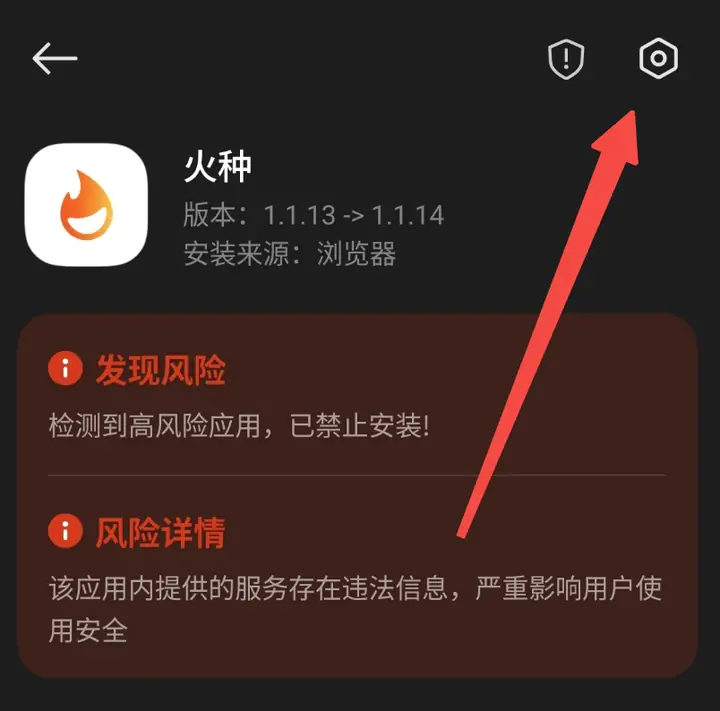
Function: Disable MIUI system-level security review serviceOperation steps:
- On the red risk warning page, clickUpper right corner menu。
- Click"Safeguarding", click again in the bottom column"Security Protection Settings"
- ClickIn the upper right corner menu, turn off the "Safety Protection" switch, confirm closing and verifying again.
Step 2: Turn off mobile phone manager virus scanning
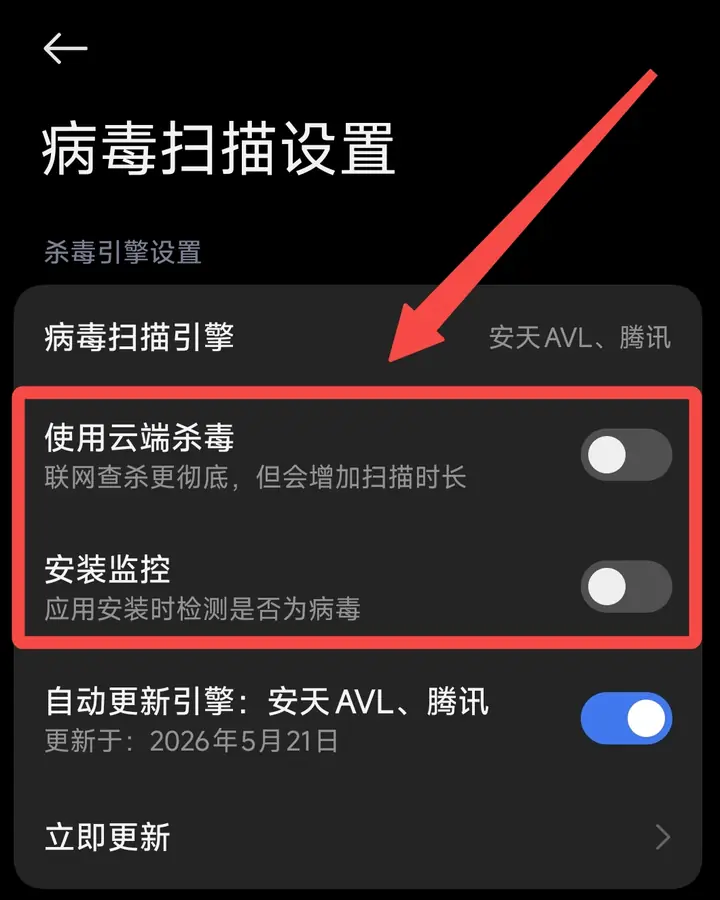
Function: Disable installation monitoring and cloud antivirusOperation steps:
- Open"Mobile Manager" app.
💡 If "Mobile Manager" is not installed on your phone, please go toapp storeSearch and download and install.
- ClickSettings icon in the upper right corner, find and click"Virus Scan"。
- Turn off the following two options:
- ✅ Use cloud antivirus
- ✅ Install monitoring
FAQ
Q1: Will there be any security risk on the phone after turning off these options?
Won't. These functions are only scanned when "installing new applications" and have no impact on already installed APPs. You can also turn them back on after installation is complete.Q2: What should I do if I still can’t install it after following the tutorial?
Please try the following additional actions:- Confirm it is enabledairplane modeThen click install
- If you still can't solve it, please go to our official websitewww.hzvpn.appCreate a ticket to contact customer service and include the phone model and MIUI/HyperOS version number.