Instagram VPN
Posting Reels, answering DMs, showing a client your portfolio — a lot of it happens on Wi-Fi outside your home. HZVPN encrypts that connection and lets you try another route when Reels load slowly. It won't get your posts more reach.
Download HZVPN
Where a VPN helps on Instagram
Instagram is built on photos and short videos, so uploading and loading both need real bandwidth. On public networks, what you upload and which profiles you open also pass through network equipment you don't know.
With HZVPN on, that traffic is encrypted and sent to your chosen server location before it reaches Instagram.


Reels slow? Try another road
Reels and Stories are video, so a poor route hits them first. Connect to a nearby HZVPN location and try again; if it doesn't help, switch or disconnect.
Upload from a café without being watched
Whoever runs a public Wi-Fi network may see which services you connect to. With HZVPN on, Instagram traffic is encrypted and they only see a connection to a VPN server.
More consistent logins on a trip
Logging in from somewhere new often brings a suspicious-login notice. Stay signed in on your usual device before you leave, and connect to your usual server location while away to keep the login environment more consistent.
Keep the local network from seeing who you look at
On a shared network, others may be able to tell from the traffic that you're on Instagram. With HZVPN, the local network only sees VPN traffic. Instagram itself still knows what you view and interact with.
Instagram and VPNs: the plain truth
Three common misunderstandings about what a VPN does.
A new IP can trigger suspicious-login prompts
Instagram remembers where you usually log in. If your IP suddenly moves to another country, it may ask you to confirm by text or email. Sticking with one server location means fewer prompts.
A VPN won't boost reach or followers
Reach depends on your content, engagement and Instagram's recommendation systems. We haven't seen reliable evidence for the claim that posting from a particular country gains followers.
Disabled accounts aren't restored by a new IP
If your account is disabled or restricted, use Instagram's official appeal process. Creating a new account through a VPN to dodge a penalty may break Instagram's terms of use.
Different ways people use Instagram
Scrolling, creating and selling each need something different from the network.

Mobile app
The main way to use Instagram. HZVPN runs on Android 9+ and iOS 13+.

On the web
Check DMs and profiles in a browser on your computer. With the Windows or macOS app connected, browser traffic is encrypted too.

Threads
Threads is linked to your Instagram account; with HZVPN connected, its traffic goes through the encrypted tunnel as well. Similar verification prompts may appear when your login location changes.

Business and creator accounts
When you manage client or brand accounts, a sudden change in login location may trigger stricter checks. If a team shares the work, agree on a consistent way to log in.
Get started in 3 steps

Sign up and download
Create an HZVPN account on our website, then download the app for Android, iOS, Windows, macOS or Linux.

Pick a server location
Choose one of 43 server locations in the app and tap connect. If it doesn't feel right, switch to another any time.

Open the app you want to use
Open Instagram and scroll through a few Reels to check they load. If you get a login check, follow the prompts.
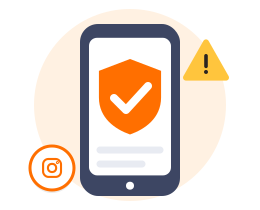
Why does Instagram ask me to verify when I use a VPN?
Instagram remembers where you usually log in from — which device, which network, roughly which region. A login that looks very different may be treated as a possible account takeover, so you're asked to verify.
That's protection, not a ban. Confirm by text, email or a device that's already signed in.
To see fewer prompts: stick to one or two server locations instead of hopping between countries, turn on two-factor authentication on your main phone, and stay signed in on your usual device before you travel.
If you're usually in Malaysia, for instance, make Malaysia (4 servers) or nearby Singapore (24) your usual location.
HZVPN features that matter for Instagram
We only list features HZVPN actually has today. If a feature isn't listed here, please don't assume it exists.
Switch locations any time, no limit
If one location loads slowly, switch — there's no limit. Once you find a good one, stick with it to keep login checks down.

43 server locations, 265 servers
43 server locations, 265 servers. Choose one close to where you actually are.

One account, several devices
Your phone, tablet and computer can all sign in with the same HZVPN account. Devices online at the same time: 3 on VIP, 5 on SVIP (the app shows the current limit).

Free servers once you sign up
Free servers come with sign-up; right now they are in United States, Japan, Hong Kong, Singapore, Germany, Canada, France, Thailand and United Kingdom.
Where the free servers are today
 United States
 Japan
 Hong Kong
 Singapore
 Germany
 Canada
 France
 Thailand
 United Kingdom
Frequently asked questions
Do I need the VPN on all the time for Instagram?
No. On a trusted home network you can leave it off; turn it on for public Wi-Fi, travel, or when things load slowly.
Instagram flagged a suspicious login after I turned on the VPN. What now?
Confirm it's you by text, email or a device that's already signed in. After that, try to stick with the same server location.
Can a new IP restore a disabled Instagram account?
No. Use Instagram's official appeal process.
Is it safe to use Instagram on public Wi-Fi?
Instagram uses encrypted connections, but whoever runs public Wi-Fi can still see which services you connect to. A VPN encrypts those connections too.
Does Threads work through HZVPN?
Yes. With HZVPN connected, Threads traffic goes through the encrypted tunnel, just like Instagram.
Will posting from another country through a VPN gain me followers?
We haven't seen reliable evidence that changing IP improves reach or follower growth. Reach mainly depends on your content and engagement.
Ready when you are
Sign up for an HZVPN account to use the free servers. Upgrade later if you need more server locations or more devices online at once.
Server numbers come from our server list (43 locations, 265 servers). They change with maintenance; the app always shows the current list.