Support Center
PC Client
Support Center
Turn on Tun2Proxy mode for AI and PC software
Entrance location
Click "My" on the bottom navigation bar, find the "Tun2Proxy Mode" switch on the page, and click to turn it on.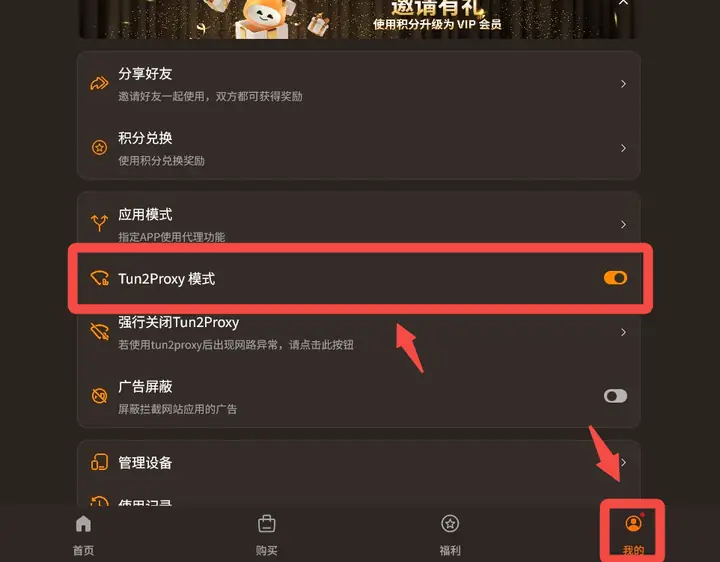
Under what circumstances do you need to turn on Tun2Proxy mode?
Under normal circumstances, browsers (Chrome, Safari, etc.) can bypass the firewall and access the external network without turning on Tun2Proxy mode. However, it is recommended to enable it in the following situations:- Some apps cannot connect to the external network properly: For example, when Tun2Proxy mode is not turned on for some native apps (such as Instagram and some AI applications), even if the VPN is connected, they are still inaccessible or load slowly.
- Use command line tools or AI programming tools on the computer/PC side(Such as Claude Code, etc.): This type of tool usually does not automatically recognize the VPN proxy, and Tun2Proxy mode needs to be turned on to ensure that network requests pass through the VPN normally.
- Games and some niche apps cannot connect: This type of application may also not follow regular proxy settings. Turning on Tun2Proxy mode can cover all traffic more comprehensively.