Support Center
Android Client
Support Center
What is "anti-disconnection mode"? How to turn it on?
"Anti-disconnection mode" can prevent the mobile phone system from automatically closing the HZVPN process in the background, thereby enhancing the stability of the VPN connection and reducing background disconnections.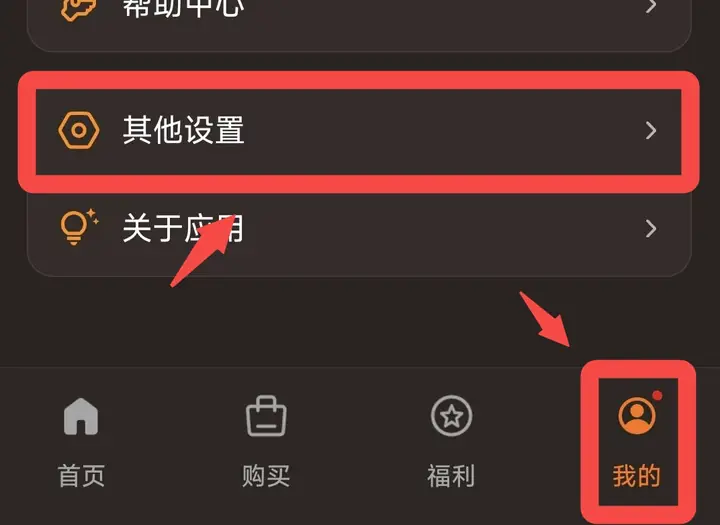 Click "My" on the bottom navigation bar, find and click "Other Settings".
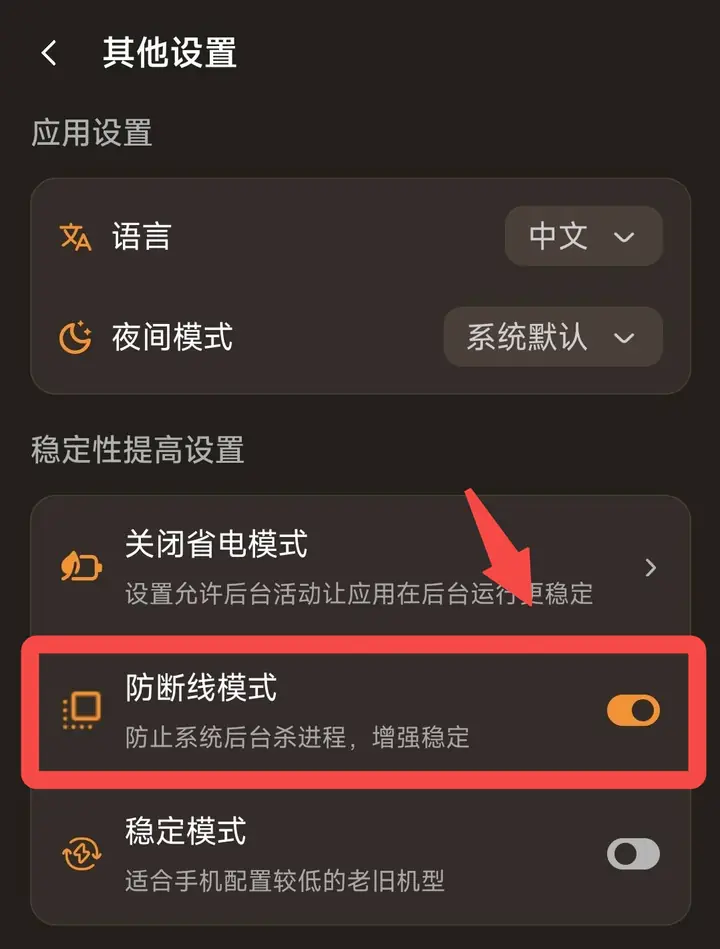
Step one: Enter other settings page
Click "My" on the bottom navigation bar, find and click "Other Settings".Step 2: Find anti-disconnection mode
On the "Other Settings" page, under the "Stability Improvement Settings" section, find the "Anti-Disconnection Mode" option.Step 3: Turn on the switch
Click the switch to the right of "Anti-Disconnection Mode" to turn it on (the switch turns orange to indicate it is turned on). Once enabled, the system will try to avoid cleaning/closing VPN processes in the background, thereby improving connection stability.