3. PCクライアント

サポートセンター

PCクライアント

サポートセンター

WindowsでHZVPNを完全にアンインストールする方法

  1. Windowsで「コントロールパネル」を検索して開くScreenshot 1 for “How to completely uninstall HZVPN on Windows”
  2. 「プログラム」を選択Screenshot 2 for “How to completely uninstall HZVPN on Windows”
  3. 「プログラムと機能」を選択Screenshot 3 for “How to completely uninstall HZVPN on Windows”
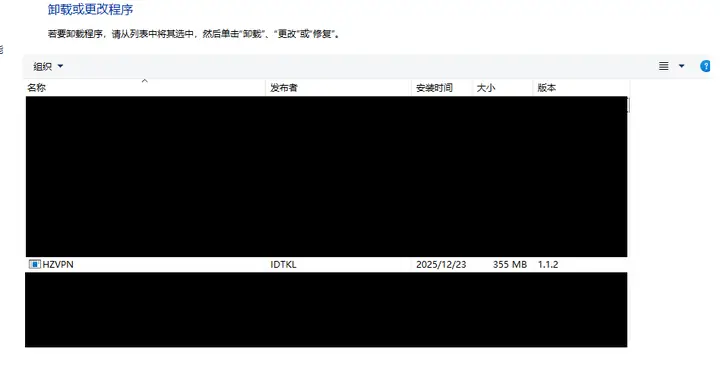
  4. このページで「HZVPN」を見つけ、ダブルクリックした後に「はい(Y)」をクリックしてアンインストールします。Screenshot 4 for “How to completely uninstall HZVPN on Windows”